Railway Review: Deploy Anything in Minutes
Railway doesn’t try to be everything. It makes one focused promise: make deploying applications as simple as possible, charge you only for what you use, and get out of your way. That positioning sounds straightforward, but it’s genuinely difficult to execute — most cloud platforms drift toward complexity, feature sprawl, and opaque billing. Railway has held its line better than almost anyone.
In a market crowded with Heroku alternatives, Railway has carved out a loyal following among solo developers, indie hackers, and small teams. It’s frequently described as having the best developer experience in its category. Whether that DX translates into something you’d actually use for production is what this review addresses.
What Is Railway?
Railway is a cloud deployment platform for web applications, background services, databases, and virtually anything you can containerize. It launched in 2020 and has iterated quickly, moving from a startup novelty to a legitimate production platform used by thousands of developers.
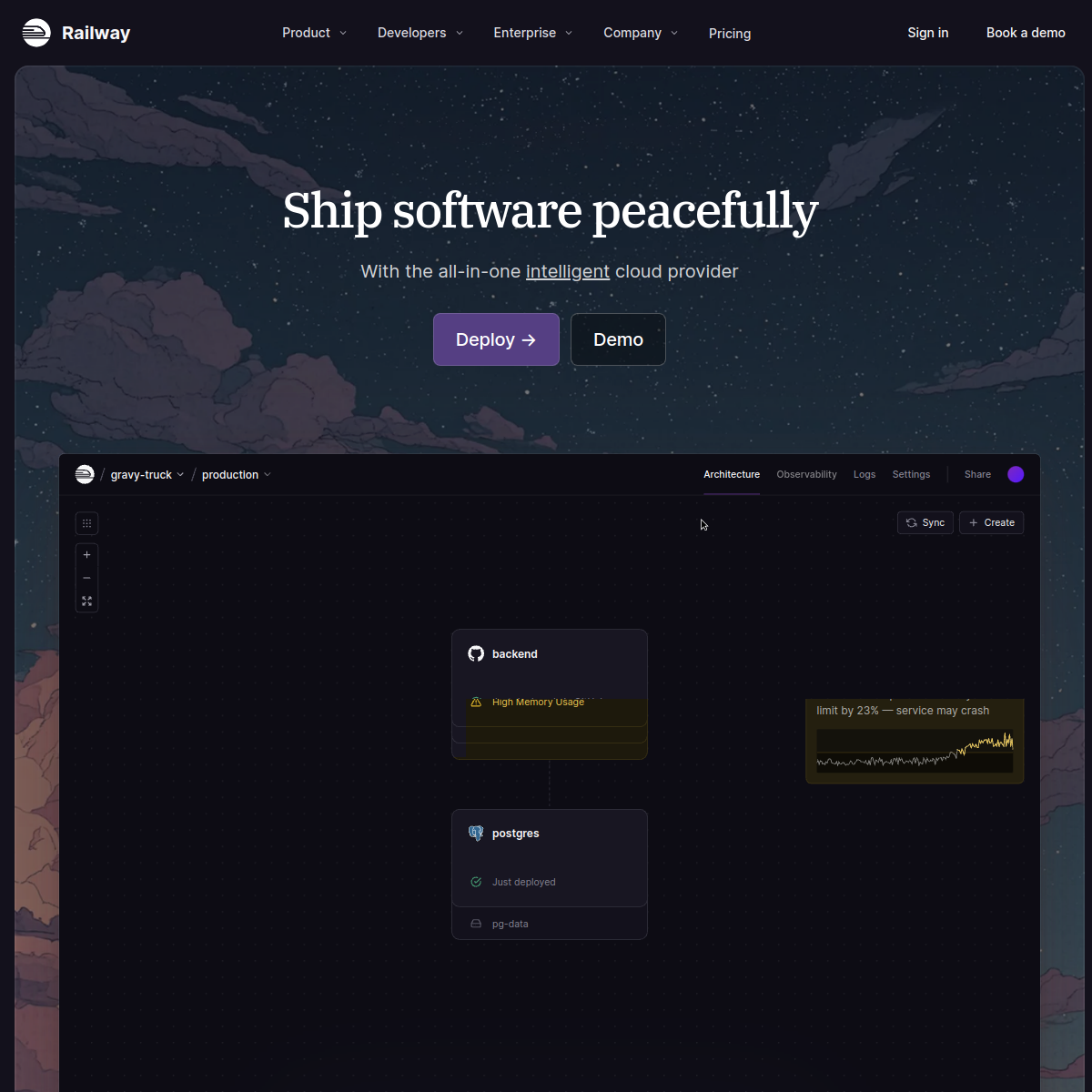
The core experience: connect GitHub, select a repository (or use a template), and Railway detects your stack and deploys it. Like Render, it supports any language with a Dockerfile and has built-in detection for Node.js, Python, Ruby, Go, Rust, PHP, and more. Unlike Render, Railway also features a visual project canvas — a real-time diagram of your services, their connections, and their resource usage. It sounds like a minor UX touch, but in practice it makes multi-service apps feel significantly more manageable.
Railway supports deploying databases (Postgres, MySQL, Redis, MongoDB as first-class services), cron jobs, workers, and private networking between services. It also has a CLI that integrates tightly with local development — you can run railway run locally and it injects your production environment variables, which eliminates an entire class of “works on my machine” problems.
Developer Experience: The Differentiator
Railway’s DX is its flagship advantage, and it deserves real attention. A few specifics:
- The project canvas: A real-time visual layout showing all your services — web app, database, Redis, workers — as connected nodes. You can see resource usage at a glance and click into any service without losing context. It sounds like a gimmick; it’s actually useful.
- One-click templates: Railway has an extensive template library — anything from a Next.js app with Postgres to a Ghost blog to a Plausible Analytics instance. You can deploy a full production stack in under two minutes from a template.
- The Railway CLI: Tight, well-designed, and genuinely useful for local development.
railway linkconnects your local project,railway runinjects env vars,railway logstails production output. It behaves the way you’d want a deployment CLI to behave. - Config as code: Railway supports
railway.tomland JSON for declarative service configuration, which means your deployment config lives in version control. - Preview environments: Automatic ephemeral deployments per pull request, available on Pro plan. This is production-grade workflow tooling at a fair price.
These details compound. The result is a platform that experienced developers describe as the one that “feels right” — the friction is in the right places and absent where it shouldn’t be.
Pricing: Usage-Based and Transparent
Railway’s pricing model is fundamentally different from Render’s and Heroku’s, and it’s worth understanding before you commit.
- Free plan: $0/month. After an initial 30-day trial with $5 in credits, you get $1/month in usage credits. Very limited: 1 project, 3 services, 0.5 GB RAM per service, 0.5 GB volume storage. Functional for experimenting, not for anything real.
- Hobby plan: $5/month minimum. Includes $5 of monthly usage credits — so effectively, if your resource consumption stays within $5/month, you pay nothing beyond the plan fee. Credits cover compute (CPU + RAM), storage, and egress. Up to 48 vCPU / 48 GB RAM per service. Up to 5 GB storage. Global regions. 7-day log history.
- Pro plan: $20/month minimum. Includes $20 of monthly usage credits. Up to 1,000 vCPU / 1 TB RAM per service (these are ceiling limits, not allocations). Up to 1 TB storage. 30-day log history. Unlimited team seats. Priority Railway support.
- Enterprise: Custom. HIPAA BAAs, SSO, RBAC, dedicated VMs, bring-your-own-cloud.
- Usage rates: Memory $0.00000386/GB-second, CPU $0.00000772/vCPU-second, volumes $0.00000006/GB-second, egress $0.05/GB.
The usage-based model rewards efficiency. A low-traffic app that barely uses its allocation pays the plan minimum ($5 or $20) regardless. A high-traffic app pays more, but only in proportion to actual consumption — not in the step-function jumps you get from fixed instance sizing. This model can produce pleasant surprises (lower-than-expected bills) or unpleasant ones (spikes if traffic surges), so monitoring matters.
How It Compares to Render
Railway and Render are the two dominant Heroku alternatives, and they’re close enough that the choice between them matters. The key differences:
- Pricing model: Render is fixed per-service ($7, $25, etc.) — predictable, easy to budget. Railway is usage-based — potentially cheaper, but less predictable. For low-traffic hobbyist projects, Railway’s Hobby plan can be cheaper. For always-on production services, Render’s flat rate is easier to manage.
- DX: Railway edges ahead on developer experience in most head-to-head comparisons. The project canvas, CLI quality, and template ecosystem are all stronger. Render is no slouch here, but Railway has the polish.
- Static site hosting: Render has a dedicated, mature static site hosting product. Railway can host static sites but it’s not a primary use case.
- Reliability track record: Render has a longer track record and slightly fewer reported incidents in developer community discussions. Railway has improved substantially but is perceived as less battle-tested for high-availability production workloads.
- Database management: Both offer managed Postgres. Railway’s Postgres is charged on the same usage-based model. Render’s has clearer fixed-price tiers.
How It Compares to Heroku
The comparison to Heroku is almost entirely in Railway’s favor. Railway is cheaper at every tier, has better DX, uses modern infrastructure, and offers the same core capability (deploy from Git, managed databases, background workers). The only real advantage Heroku retains is its add-on marketplace and its name recognition in enterprise environments where Salesforce’s brand matters for procurement conversations.
For developer teams making the decision on technical merit, Railway wins.
What to Watch For
Railway isn’t perfect. A few real limitations worth knowing:
- Usage billing anxiety: Some developers report discomfort with usage-based pricing, particularly in teams where a single runaway process could spike the bill. Railway has hard and soft spend limits, but you need to configure them proactively.
- Smaller ecosystem: Fewer native integrations compared to Heroku’s add-on marketplace. Third-party services (email, monitoring, CDN) require manual setup or environment variable wiring.
- Log retention: 7 days on Hobby, 30 days on Pro. If you need longer-term log history for compliance or debugging, you’ll need to ship logs to an external sink.
- Free plan limitations: The post-trial free plan is quite restricted (1 project, 3 services). If you need persistent free hosting, Render’s free static site tier is more generous for that specific use case.
Who It’s For
- Solo developers who optimize for DX — Railway is built for people who care about the development workflow, not just the infrastructure. If you’re deploying multiple services and want to see them at a glance, Railway’s project canvas is genuinely useful.
- Developers with variable or bursty traffic — usage-based pricing rewards workloads that aren’t constant. A staging environment, a nightly job, a low-traffic MVP — these are Railway’s natural habitat.
- Teams using templates and one-click deploys — Railway’s template ecosystem is excellent for deploying open-source software quickly. Want a Plausible instance? A PocketBase backend? Railway probably has a working template.
- Heroku users who want a direct port — Railway’s Heroku-style DX makes it the smoothest migration path for teams used to the Heroku workflow.
Verdict
Railway is the platform Heroku should have become. It’s fast, developer-friendly, honestly priced, and capable enough for real production workloads. The usage-based billing model is a genuine differentiator — it rewards efficient applications and low-traffic experiments without charging for idle capacity. The developer experience, particularly the project canvas and CLI, sets a bar that other platforms haven’t matched.
If you’re building a side project, migrating from Heroku, or want the most DX-optimized deployment experience in the market right now, Railway is worth your serious attention.
Deploy your first project on Railway → [AFFILIATE LINK: Railway]