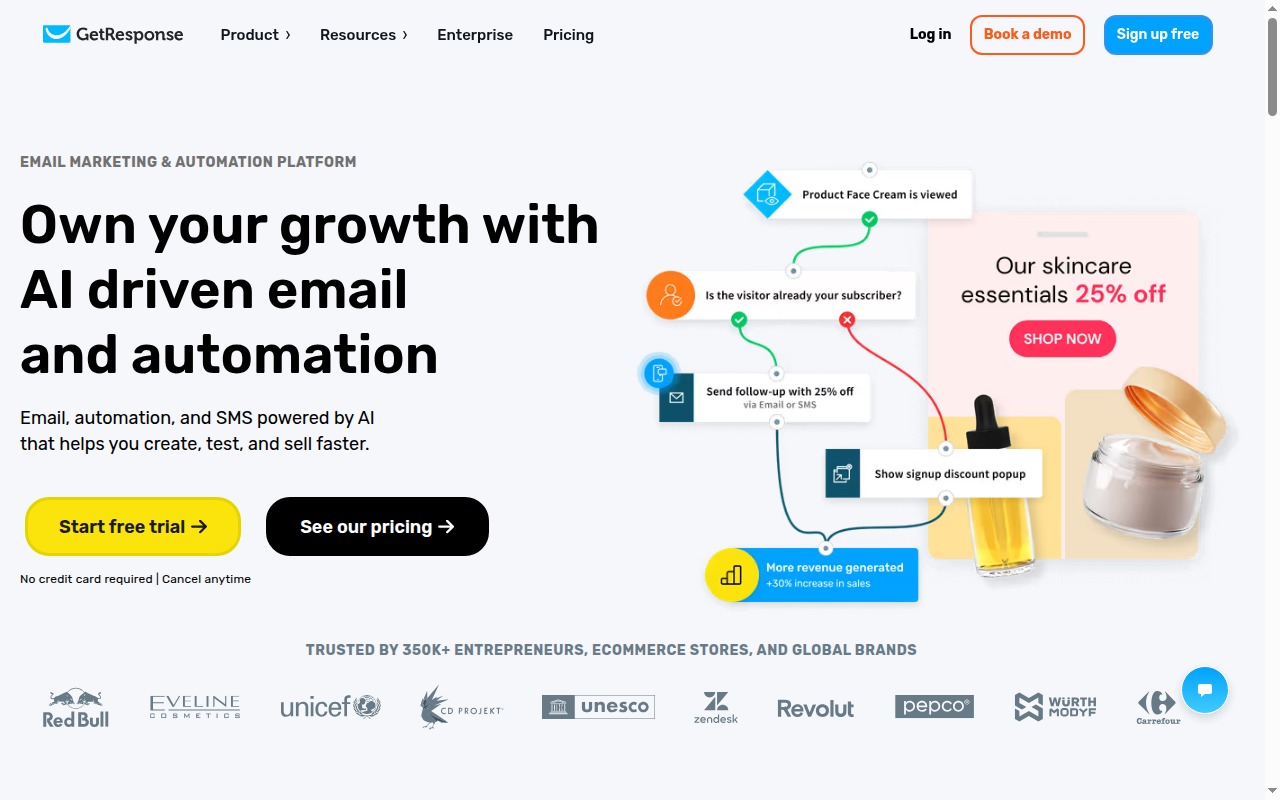
GetResponse has been around since 1998. It started as one of the earliest email marketing tools and has since grown into something more ambitious: an all-in-one marketing platform that combines email, automation, webinars, funnels, landing pages, and paid ad integrations under one roof.
The pitch is compelling. The reality is mixed. Here’s what you actually get.
What Is GetResponse?
GetResponse is the right tool for a specific kind of business: one that runs product launches, sells through webinars, and wants the entire workflow — list building, email nurture, funnel, webinar, follow-up — handled by a single platform.
For pure newsletter operators or businesses that just want clean email automation, it’s overbuilt and overpriced relative to simpler options. The tool rewards operators who use the full stack. It punishes users who are paying for features they never touch.
The webinar feature alone is genuinely differentiated. No other tool in this price range includes a native webinar platform. If webinar-based selling is part of your model, GetResponse changes the economics meaningfully — you’d otherwise pay $50–$100/month separately for a webinar tool.
Pricing
| Plan | Monthly Price (1k subs) | Key Features Unlocked |
|---|---|---|
| Email Marketing | $15/mo | Email campaigns, basic automations, landing pages (unlimited), signup forms |
| Marketing Automation | $49/mo | Visual automation builder, webinars (up to 500 attendees), advanced segmentation |
| E-commerce Marketing | $97/mo | Abandoned cart, product recommendations, promo codes, push notifications |
| GetResponse MAX | From $1,099/mo | Dedicated support, SMS marketing, transactional email, custom features |
The pricing jump from Email Marketing to Marketing Automation is the most important inflection point. The visual automation builder — the thing that actually makes GetResponse powerful — is locked to the $49/month tier. At the entry price of $15, you get basic “if this then that” automations, not the full visual workflow canvas.
If you’re shopping GetResponse because of its automation, budget for the Marketing Automation tier from the start.
Annual billing saves around 18%.
Try GetResponse → GetResponse
Key Features
Email Campaigns
Standard email marketing: campaign builder, templates, A/B testing, segmentation, reporting. The email editor is functional and the template library is respectable. Nothing revolutionary, but solid.
Marketing Automation (Visual Builder)
The automation canvas lets you build multi-step sequences with conditions, filters, and branching logic triggered by subscriber actions: opens, clicks, purchases, custom events, date-based triggers. This is comparable in depth to what Mailchimp charges significantly more for, and it’s more capable than MailerLite at the same subscriber count.
Landing Pages
Unlimited landing pages on all tiers, including the entry plan. The builder is drag-and-drop with a decent template library. Not as polished as Unbounce, but functional for lead generation pages, webinar registration pages, and simple product pages.
Conversion Funnels
Pre-built funnel flows for lead gen, product sales, and webinar signups. The funnel builder stitches together landing pages, email sequences, and calls to action into a connected flow. You don’t build it piece by piece — you start with a template and fill it in. For non-technical operators running launches, this is genuinely useful.
Webinars
Up to 500 attendees on the Marketing Automation tier. Includes registration pages, reminders, on-demand replays, polls during webinars, and integrated follow-up email sequences. This is the feature that sets GetResponse apart from every email tool in this price range. If you run live training, product demos, or webinar-based launches, this changes the economics.
Paid Ads Integration
Facebook, Google, and Instagram ad management from within GetResponse. The integration works, but it’s thinner than using native ad platforms or a dedicated tool like AdEspresso. Most users running serious paid campaigns will find this too limited for production use. Treat it as a convenience layer, not a primary ads management tool.
E-commerce Features
Product pages, checkout forms, abandoned cart recovery, and product recommendation emails are on the E-commerce tier at $97/month. If you’re running a dedicated e-commerce operation, Moosend or Klaviyo are more capable at lower prices for this specific use case.
What GetResponse Does Well
The all-in-one pitch is real — if you actually use webinars and funnels. If your business model includes live webinars and structured launch sequences, GetResponse saves you real money. You’d otherwise pay for a separate webinar platform ($50–$100/month for something like WebinarJam or Demio) plus your email tool plus a landing page builder. GetResponse consolidates all of that into one billing line.
Funnel templates are solid. The pre-built funnel flows reduce setup time meaningfully. You’re not architecting from scratch — you’re filling in a proven structure. For non-technical operators, this matters.
Unlimited landing pages at the entry tier. Unlike some competitors that gate landing pages behind higher plans, GetResponse includes unlimited pages at $15/month. This is useful for lead generation without paying separately for a landing page tool.
Where GetResponse Falls Short
The UI is busy and inconsistent. GetResponse has added features over years without always integrating them cleanly. Some parts of the interface feel modern; others feel like they haven’t been updated since 2015. Navigation can be disorienting until you’ve used it for a while.
The price jump to automation is steep. $15 to $49 to access the visual automation builder is a significant jump for a feature that’s arguably the core reason to choose GetResponse over simpler tools. Competitors like MailerLite include functional automation at lower price points.
Some features are underdeveloped vs dedicated tools. The paid ads integration is thin. The chat feature is limited. The e-commerce capabilities are outpaced by Klaviyo or even Moosend at a similar price. GetResponse’s breadth comes at the cost of depth in individual features.
Support response times vary. Lower-tier users report slower email support. Live chat is available but queue times can stretch. If support quality matters, factor in that MAX is the only tier with dedicated support.
GetResponse vs MailerLite
Choose MailerLite if: You need a clean, affordable email tool with functional automation and you’re not running webinars. MailerLite is significantly cheaper at entry level, easier to navigate, and more than capable for newsletters and basic sequences. There’s no reason to pay GetResponse’s prices for those use cases.
Choose GetResponse if: Webinars and conversion funnels are central to your business model. MailerLite doesn’t have webinars. GetResponse does. That’s the decision.
GetResponse vs ActiveCampaign
ActiveCampaign is deeper on CRM and behavioral automation. If you need contact scoring, deal pipelines, and complex behavioral branching tied to CRM data, ActiveCampaign is the better tool. GetResponse’s automation is capable but doesn’t match ActiveCampaign’s depth.
GetResponse is better for webinar-focused launch businesses. ActiveCampaign doesn’t have native webinars. If your model is webinar + email + funnel, GetResponse consolidates it better.
Who Should Use GetResponse?
Use GetResponse if:
- Webinars are a genuine part of your business model — courses, coaching, live product demos
- You run structured product launches and want funnels + email + landing pages in one place
- You’re an online coach or creator whose primary acquisition channel is live events
Skip GetResponse if:
- You just need clean, reliable email marketing with automation — MailerLite or Kit will serve you better at lower cost
- You need serious CRM depth — ActiveCampaign is the right tool
- You’re running a large e-commerce store — Klaviyo or Moosend are more capable for that specific use case
- You’re on a tight budget and won’t use the webinar or funnel features
Final Verdict
GetResponse is a legitimate platform for businesses that actually use its full stack. The webinar integration is the differentiator — no other tool in this price range has it, and for coaches and course creators doing live selling, it changes the tool economics significantly.
For everyone else: it’s probably more tool than you need, and the pricing jump to unlock the most valuable features makes the entry-level plan feel underbuilt.
Rating: 3.8/5
Best for: Online coaches, small businesses, and course creators running webinar-based launches who want email, funnels, and live events managed in one platform.
Try GetResponse → GetResponse
See also: Best Email Marketing Software 2026