ClickUp vs Notion: Which Is Better for Small Teams?
ClickUp and Notion are two of the most popular productivity tools in the market — and also two of the most frequently confused. Teams starting out often pick one, use it for six months, wonder if they should have chosen the other, then spend weeks debating a switch. Let’s settle this properly.
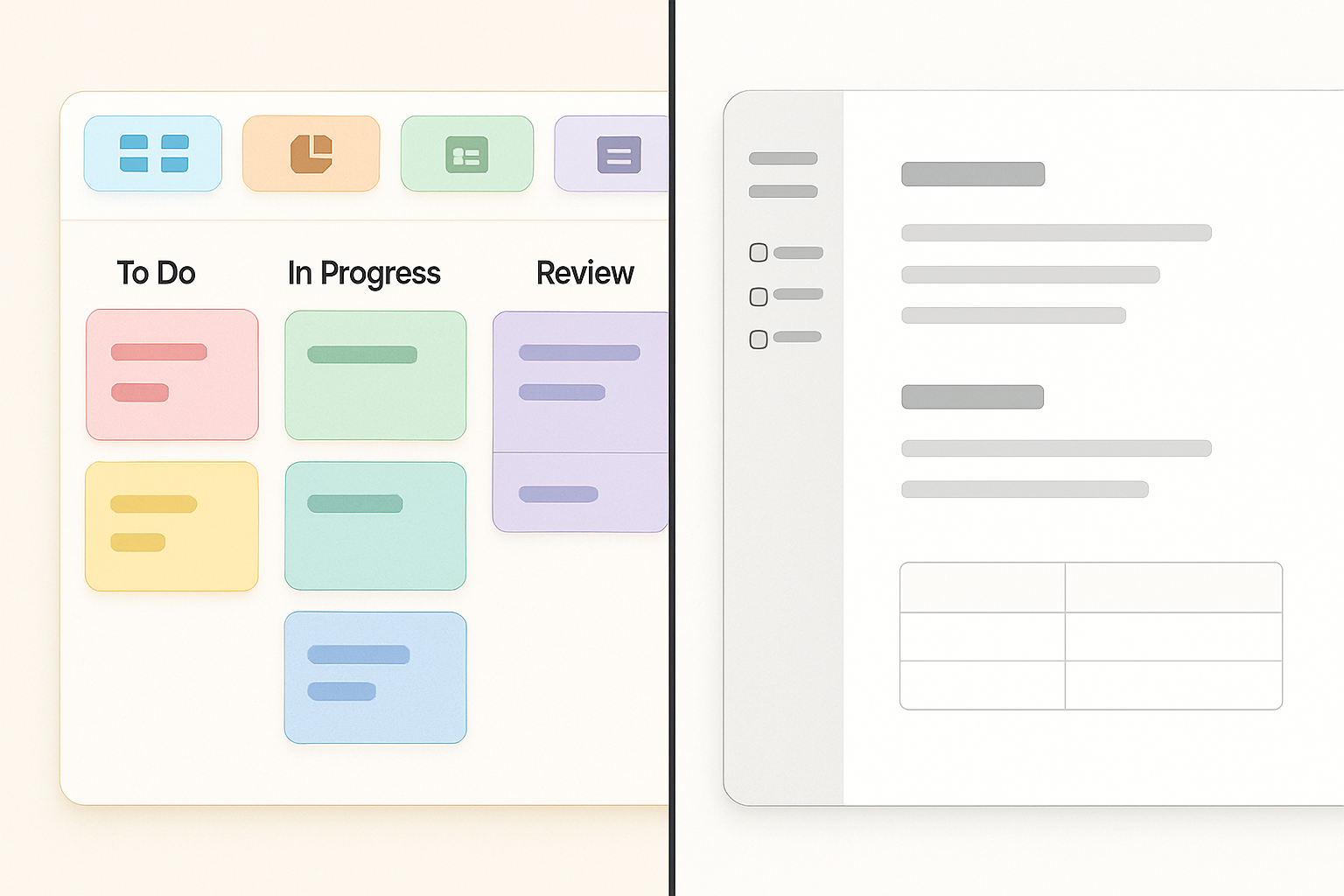
The honest answer is that ClickUp and Notion are not direct competitors — they’re built for different primary purposes, even though both have expanded their feature sets to overlap. Understanding the core difference clarifies almost every comparison point.
The Core Difference: Document-First vs. Task-First
Notion started as a note-taking and documentation tool. It’s fundamentally a block editor that can embed databases, and those databases can be used to track tasks, projects, people, and almost anything else you can model in a table. This makes Notion extraordinarily flexible — a blank canvas that can become whatever you build. The tradeoff is that “flexible” often means “you have to build it yourself.”
ClickUp started as a task management platform. It’s fundamentally a project manager that has added documents, wikis, goals, and dashboards over time. It comes with structure pre-built: views, assignees, due dates, statuses, and automations are all first-class features that work without configuration. The tradeoff is that this structure can feel constraining if you want to go off-script.
For small teams, this distinction matters a lot — because the wrong choice means months of either fighting the tool or rebuilding it from scratch.
Use Case: Project Management and Task Tracking
This is where ClickUp wins decisively. Its task management engine is native, deep, and designed for real project work:
- Multiple views out of the box: List, Kanban board, Gantt, Calendar, Workload — all available without building a database template first.
- Recurring tasks: Set daily, weekly, or custom recurring patterns in a few clicks. In Notion, recurring task management requires workarounds or third-party automation.
- Task dependencies: Mark tasks as “waiting on” or “blocking” other tasks. This is critical for real project coordination. Notion databases don’t natively support dependency relationships.
- Automations: Trigger-based workflow automations (e.g., “when task status changes to Complete, notify assignee and create follow-up task”) are native on ClickUp’s paid plans. Notion requires external tools like Zapier or Make for most automations.
- Time tracking: Built-in, no integration needed.
- Sprint management: Native sprint/cycle features with velocity tracking.
Verdict for project management: ClickUp is significantly better. If your team is primarily trying to track who’s doing what and when, ClickUp is the right choice.
Use Case: Knowledge Base and Documentation
This is where Notion wins — and it’s not close. Notion’s block-based editor is genuinely one of the best document creation experiences in any productivity tool. Nested pages, inline databases, toggles, callouts, synced blocks, and an extensive template gallery make it a pleasure to build and maintain a team wiki.
- Writing experience: Notion’s editor is designed for writing. The block interface is intuitive, and formatting doesn’t get in the way.
- Nested page hierarchy: Deep page nesting with breadcrumb navigation makes building a real knowledge base natural.
- Embedding: Notion can embed videos, PDFs, Figma frames, code blocks, and external content natively.
- Templates: An extensive community template library means most team workflows have a starting point.
- Public pages: Share specific pages publicly with custom slugs — useful for changelogs, public roadmaps, or external documentation.
ClickUp Docs has improved significantly and is now a credible wiki tool. But it still trails Notion on pure writing UX, template depth, and the overall sense of building a living, navigable knowledge base.
Verdict for documentation: Notion wins. If your team primarily needs a wiki, internal knowledge base, or long-form content system, Notion is the stronger choice.
Use Case: The “All-in-One” Scenario
Here’s the use case that small teams care about most: can I use one tool for everything — tasks, docs, wikis, and team communication — without paying for multiple subscriptions?
Both tools make this claim. The reality:
Notion as all-in-one: Notion can handle tasks and projects if you’re willing to build and maintain database setups. It requires more upfront work and ongoing template maintenance. The collaboration features are good but the lack of native automations and recurring tasks is a real limitation for busy teams.
ClickUp as all-in-one: ClickUp handles tasks natively and has added docs, whiteboards, goals, and a basic chat feature. The docs experience is good enough for most team knowledge needs. For teams that want execution-focused all-in-one capability, ClickUp delivers more reliably.
Verdict for all-in-one: ClickUp edges out Notion for most small teams in execution-focused environments. The built-in project management infrastructure reduces setup overhead significantly.
Pricing Comparison
As of early 2026, here’s how the pricing stacks up for a small team of 5–10 people:
-
ClickUp:
- Free: Unlimited tasks and members, 100MB storage, limited features
- Unlimited: $7/user/month (annual) — Full feature set for small teams
- Business: $12/user/month (annual) — Advanced automations, dashboards, SSO
-
Notion:
- Free: Unlimited pages for individuals, limited team features
- Plus: $10/user/month (annual) — Unlimited pages/blocks, 30-day history, up to 100 guests
- Business: $15/user/month (annual) — Private team spaces, SSO, 90-day history, AI included
For a 5-person team on annual plans:
- ClickUp Unlimited: $420/year
- ClickUp Business: $720/year
- Notion Plus: $600/year
- Notion Business: $900/year
ClickUp is the more affordable option at comparable tiers. Notion’s Business plan includes Notion AI, which adds value — but ClickUp’s AI is available as an add-on at $7/user/month if needed.
Try ClickUp free | Try Notion free
Onboarding and Learning Curve
Neither tool is instant to master, but they fail in different directions.
Notion’s learning curve is conceptual. The block model is intuitive, but designing a workflow system requires understanding relational databases, linked views, and filter logic. Many teams build beautiful Notion setups that break down when the person who built them leaves.
ClickUp’s learning curve is navigational. There are more buttons, more settings, more things to configure. The tool does a lot, and seeing all of it at once can be paralyzing. However, ClickUp’s structure is more self-evident — tasks are tasks, projects are projects. The defaults work reasonably well even without a custom setup.
For a team that just wants to get started quickly, ClickUp’s templates and default structure often get teams productive faster, even if Notion feels simpler on first glance.
Who Should Choose ClickUp
- Teams that primarily manage tasks, sprints, and projects
- Agencies, product teams, and operations functions
- Teams replacing a task manager (Asana, Trello) and wanting something more powerful
- Budget-conscious teams who want all-in-one functionality at lower per-seat cost
- Teams that want built-in automations without relying on Zapier
Who Should Choose Notion
- Teams that primarily create, share, and organize documentation
- Startups building internal wikis, playbooks, and SOPs
- Design, content, and strategy teams that work heavily in long-form text
- Teams that want a flexible canvas rather than a structured system
- Organizations building custom databases and internal tools on top of their workspace
Verdict
For small teams, the choice comes down to your primary workflow:
If you need to track work and manage projects → Choose ClickUp. It delivers better task management, more views, native automations, and a lower price point than Notion at comparable tiers. The setup overhead is real but pays off quickly.
If you need a knowledge hub and documentation system → Choose Notion. Its writing experience, nested pages, and flexible database structure make it the better long-term home for team knowledge.
Many mature teams end up using both — ClickUp for execution, Notion for documentation — and accepting the integration overhead. But if you’re choosing one, let your primary use case decide. Both tools are strong enough that the “wrong” choice won’t sink you, but the right one will meaningfully reduce friction every single day.
ClickUp: 4.5/5 for project management | Notion: 4.5/5 for documentation