Yes. With significant caveats.
Bubble has made genuine on its foundational promise: non-technical founders have shipped real products — user authentication, relational databases, payment processing, custom business logic — without writing a line of code. There are Bubble-built startups generating real revenue. The skeptics who dismissed no-code as toys for basic projects have been proven partially wrong.
The caveats matter too, though. Bubble has a learning curve that surprises people expecting a drag-and-drop website builder. Performance at scale is a genuine concern. The pricing jumps between tiers are steep. And vendor lock-in is real in a way it isn’t with most SaaS tools.
Here’s the complete picture.
What Is Bubble?
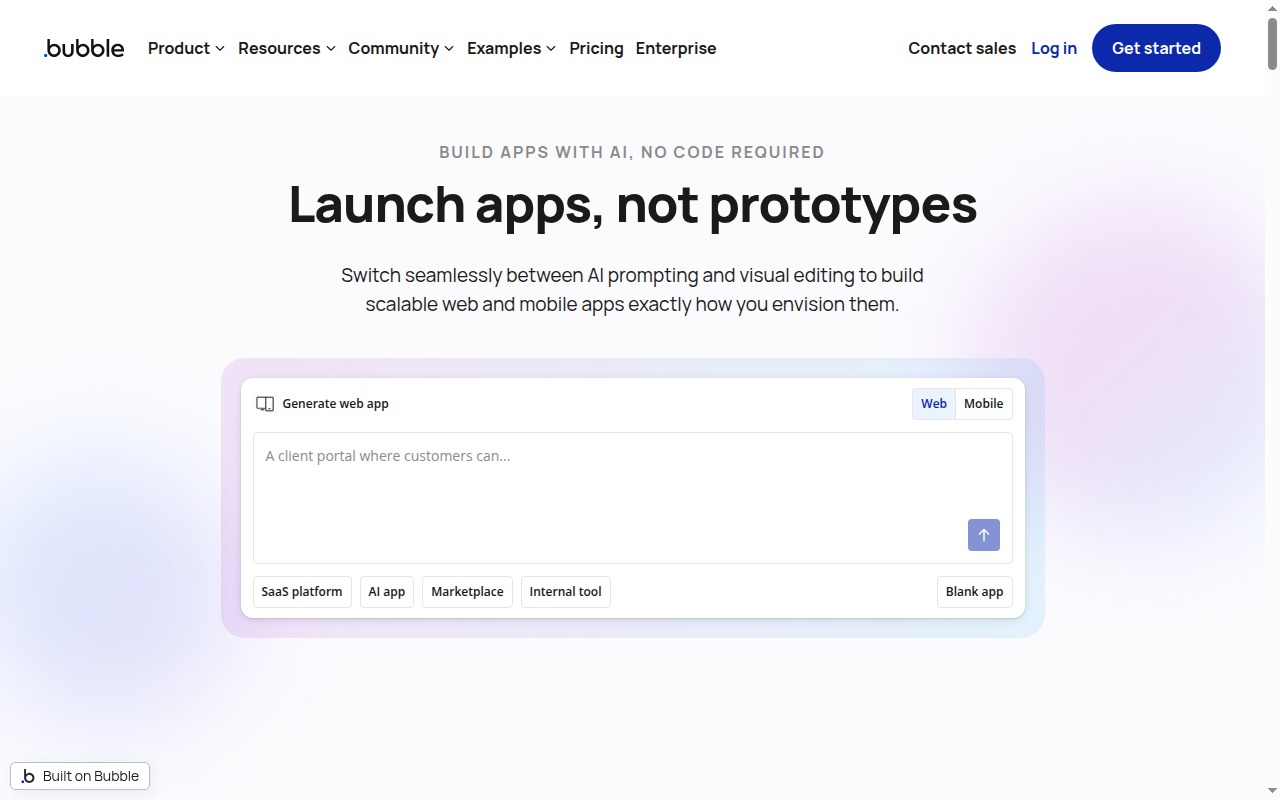
Bubble is the most capable no-code platform for building full web applications. Not websites — applications. The distinction is important: Bubble competes with custom web app development, not with Webflow or WordPress.
When you build in Bubble, you’re working with:
- A visual database where you define data types, fields, and relationships (users, posts, transactions — without SQL)
- A workflow editor where you define logic (when this happens, do that — conditionally, sequentially, or in response to user actions)
- A responsive design editor where you drag, drop, and arrange your UI
- Built-in user authentication — accounts, login, permissions, access control
- An API connector for external integrations
- A plugin ecosystem with 1,000+ plugins for Stripe payments, Google Maps, analytics, and more
The combined result is a platform where a non-technical founder can build something that would previously have required a developer for months. That’s not marketing language — it’s demonstrably true.
Bubble Pricing
| Plan | Monthly Price | What You Get |
|---|---|---|
| Free | $0 | Bubble subdomain, limited capacity, full feature access |
| Starter | $29/mo | Custom domain, basic capacity, no collaboration |
| Growth | $119/mo | More capacity, custom plugins, limited version control |
| Team | $349/mo | Collaboration features, Git-like branching, more capacity |
| Production | $799/mo | Dedicated server capacity, enterprise SLAs |
The Free plan is unique in that it’s genuinely feature-complete — you can build the same app on Free that you’d build on a paid plan. The difference is capacity (how much traffic and data the app can handle) and infrastructure (dedicated servers, custom domains). For building and testing an MVP, the Free plan is a legitimate starting point.
The pricing gaps between tiers are where Bubble becomes frustrating. Growth at $119/month is a significant jump from Starter’s $29/month. Team at $349/month feels steep for what amounts to branching and collaboration features. Production at $799/month is enterprise territory. For a bootstrapped founder who’s built a working MVP and needs to scale, these pricing steps can feel abrupt.
→ Bubble
Key Features
Visual Database
Bubble’s database designer lets you define your data model visually. You create “Data Types” (think: database tables) with fields (think: columns) and relationships (think: foreign keys), all without touching SQL. Setting up a relational data structure for a SaaS app — Users, Organizations, Subscriptions, Projects — takes hours in Bubble, not days.
The database is cloud-hosted by Bubble. You don’t manage infrastructure. That’s the no-code promise in practice.
Workflow Editor
The workflow editor is where your app’s logic lives. Workflows trigger on events — a button click, a page load, an API call — and execute a sequence of steps: create a record, modify a field, send an email, call an external API, redirect the user. Conditional logic (“only if the user’s subscription is active”), branching, scheduled workflows — it’s all here.
This is what separates Bubble from website builders. A Webflow page looks good; a Bubble workflow does things. The combination of database + workflow is what enables actual applications.
Responsive Design Editor
Drag-and-drop UI building with responsive behavior. You can design page layouts, place elements conditionally (show this only if the user is logged in), and connect UI components to database data. The design editor is functional. It is not as design-polished as Webflow — Bubble’s aesthetic output tends toward “functional startup” rather than “award-winning agency site.”
For applications where UX matters more than aesthetic precision, that’s usually an acceptable trade-off.
User Authentication
Built-in user accounts, login/signup flows, password reset, and permissions. You can define user roles and control data access based on those roles. For any app that requires accounts — and most do — this is fully handled without a third-party service or custom code.
API Connector
Connect Bubble to any service with an API. Stripe for payments, Twilio for SMS, Airtable for data, SendGrid for email — if it has an API, you can connect it to Bubble. Configuration is done through a visual interface; no JavaScript required (though Bubble does support JavaScript for advanced use cases).
Plugin Ecosystem
1,000+ plugins built by Bubble and the community. Stripe integration (payments, subscriptions), Google Maps, Intercom, Crisp, Segment, various OAuth providers. Most common integration needs are covered. Plugin quality varies — some are excellently maintained, others are abandoned. Check the update history before depending on a community plugin.
Version Control and Branching (Team+)
Available from the Team plan. Git-like branching lets multiple developers work on different features simultaneously and merge changes. For solo founders or very small teams, the Starter or Growth plan is sufficient. For teams of two or more actively building in parallel, the lack of branching on lower tiers is a genuine constraint.
What Bubble Does Well
You can actually ship a real product. This is the core claim, and it holds up. Bubble apps with user accounts, Stripe subscriptions, relational databases, and complex conditional logic exist in production, generating revenue. The ceiling is higher than most no-code tools.
The database + workflow combination is powerful. Most no-code tools are good at either display logic or data logic, not both. Bubble unifies them in a way that enables genuine application development, not just interactive prototypes.
Community and ecosystem. Bubble has a large, active community with forums, templates, courses, and agency partners. The learning resources are extensive. When you hit a problem, someone has probably solved it before and documented it. The template marketplace gives you starting points for common app types — marketplaces, SaaS dashboards, booking platforms.
MVPs at genuine speed. A non-technical founder with a few weeks of Bubble learning can ship something that would take a developer months to build from scratch. That speed advantage is real and has genuine economic value for validating product ideas.
Where Bubble Falls Short
Performance at scale is a known limitation. Bubble apps can feel slow — slower than equivalent coded applications — under load. This isn’t anecdote; it’s a documented characteristic of the platform’s shared infrastructure and the overhead of the visual abstraction layer. For low-to-medium traffic MVPs, it’s usually acceptable. For applications expecting high concurrent users or complex database queries at volume, it’s a genuine problem. Bubble is investing in performance improvements, but the gap with custom code remains.
The learning curve is steeper than “no-code” implies. First-time Bubble users often underestimate how much there is to learn. The concepts — data types, privacy rules, workflows, states, conditionals — are programming concepts with a visual interface. Non-technical founders typically spend 2–6 weeks learning before they can build efficiently. “No-code” doesn’t mean “no learning.”
Pricing tier jumps are steep. Starter to Growth is a $90/month jump. Growth to Team is another $230/month jump. If your app’s traffic outgrows Starter capacity but doesn’t justify Growth pricing, you’re in an uncomfortable position. The capacity limits aren’t always obvious until you hit them in production.
Vendor lock-in is real. Your entire application — database, logic, workflows, frontend — lives in Bubble’s proprietary environment. Exporting your app to code and running it independently is not meaningfully possible. If Bubble raises prices significantly, changes its terms, or the company has operational issues, your options are limited. This risk exists with all no-code platforms but is especially significant for production applications.
Web-only. Bubble builds web applications accessible in a browser. If you need native iOS or Android apps, Bubble can’t deliver them. A progressive web app (PWA) wrapper is possible but not a true native mobile experience.
Bubble vs Webflow
See the full Bubble vs Webflow comparison
These are not competing tools. Webflow builds beautiful websites with CMS. Bubble builds functional web applications with databases and business logic. Choosing between them based on “which no-code tool should I use” is a category error.
Choose Webflow if you’re building a marketing site, a blog, a portfolio, a content-heavy website with a structured CMS. Choose Bubble if you’re building a product — something with user accounts, data that persists, logic that runs, transactions that process. The decision point isn’t price or ease of use; it’s what you’re actually building.
Who Should Use Bubble?
- Non-technical founders building a web app MVP who can’t or don’t want to hire a developer for the initial build
- Internal tool builders — HR portals, ops dashboards, client-facing portals — where performance at scale is less critical than speed to build
- Marketplaces and community platforms — Bubble is particularly well-suited to multi-sided marketplaces where user-generated data and relationships are the core
- Entrepreneurs validating product-market fit before committing to a custom codebase
Skip Bubble if:
- You need a website, not an application — use Webflow or WordPress
- You’re expecting significant traffic quickly — plan for a performance conversation before it becomes a crisis
- You need native mobile apps — Bubble is web-only
- You’re a developer — you’ll build faster and with less friction in code, and you won’t be constrained by what Bubble’s abstraction layer allows
- Vendor lock-in risk is unacceptable for your business situation
Final Verdict
Bubble delivers on its core promise: you can build production-ready web applications without writing code. Real products exist in production. Real founders have shipped real things.
The caveats are also real: steeper learning curve than advertised, performance limits that matter at scale, pricing that can feel punishing between tiers, and vendor lock-in that deserves serious consideration before you build something mission-critical on it.
For the right person — a non-technical founder with a clear product vision, enough time to learn the platform, and a use case that fits within Bubble’s capability envelope — it’s the best tool of its kind. Nothing else in the no-code space combines database, logic, and frontend at the same capability level.
Go in with accurate expectations and it’s a genuinely powerful product.
Rating: 4.0/5
Best for: Non-technical founders building web app MVPs, internal tools, and marketplaces who can invest the time to learn the platform properly.
Try Bubble → Bubble
Compare all no-code app builders → Best No-Code App Builders 2026