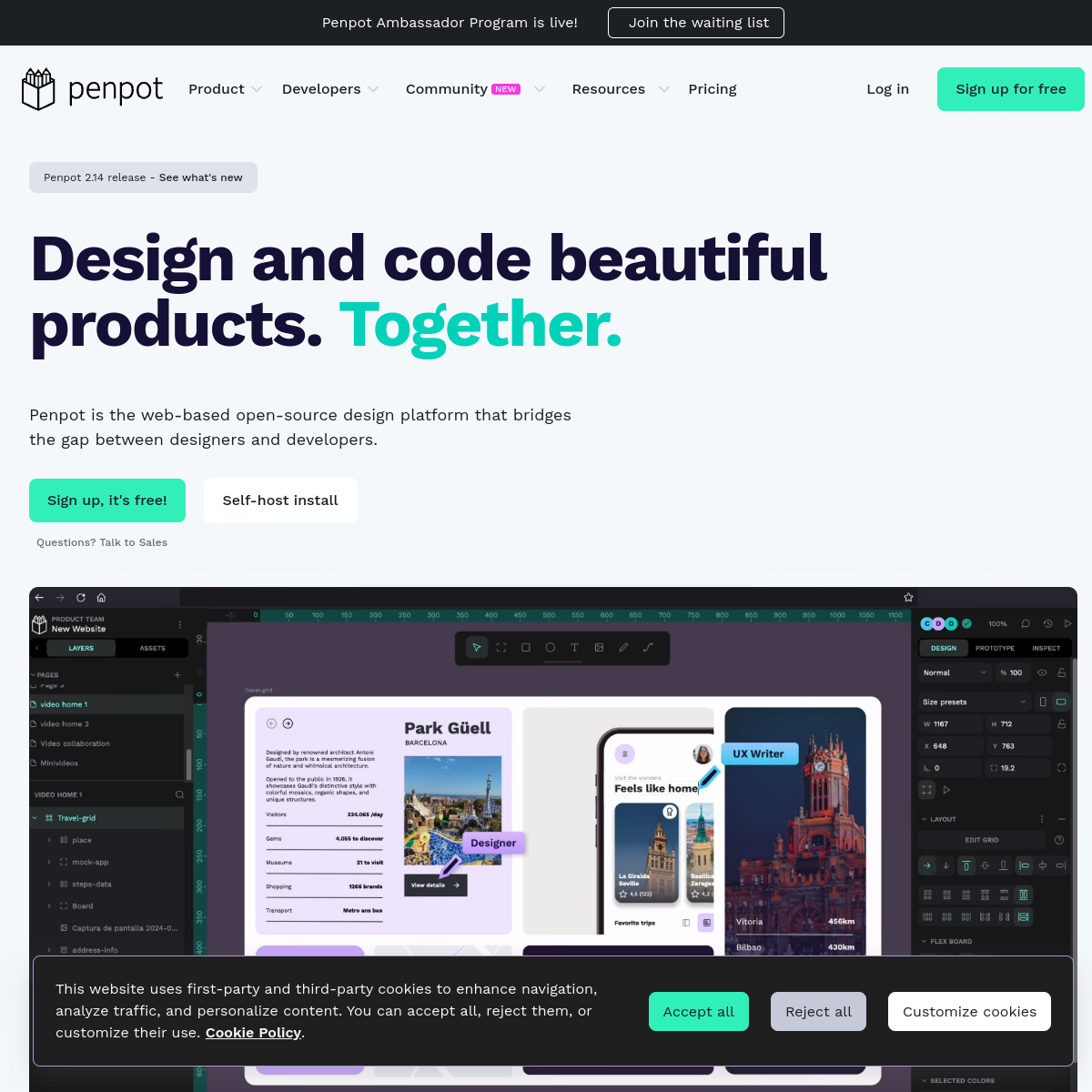
Penpot Review: The Open-Source Figma Alternative Worth Knowing
Published on stack-unpacked.com | Design & Creative
Figma has dominated the UI/UX design space for years — and for good reason. But domination has a price. When Adobe’s attempted acquisition sent shockwaves through the design community in 2022–2023, a lot of designers started asking a question they hadn’t considered before: what are our alternatives? Penpot, the open-source, self-hostable design and prototyping platform, answered that call louder than anyone. This review breaks down what Penpot actually delivers in 2025–2026, who should seriously consider switching, and where it still has ground to cover.
What Is Penpot?
Penpot is a web-based design and prototyping tool built on open web standards — HTML, CSS, and SVG — rather than proprietary formats. It’s developed by Kaleidos, a Spanish open-source software company, and is licensed under MPL 2.0. That means anyone can inspect the code, contribute to it, or deploy it on their own infrastructure. The hosted version at penpot.app is free for individuals; self-hosting is also free and fully documented.
Unlike most design tools that treat developer handoff as an afterthought, Penpot was built from the ground up with a design-development collaboration model in mind. Designs are expressed natively in CSS-compatible properties — what you see in the canvas maps directly to web output. That’s a structural difference, not a marketing claim.
Features: What You Actually Get
Penpot is a full-featured design environment, not a stripped-down open-source curiosity. Here’s what’s on the table as of early 2026:
- Vector design tools: Full path editing, boolean operations, nested frames, and an infinite canvas.
- Component system: Reusable components with swapping, annotations, and library management — comparable to Figma’s component model.
- CSS Grid and Flexbox layout: Penpot supports native CSS Grid and Flex layout natively inside the canvas. This is a genuine standout — designing responsive interfaces directly in Penpot produces CSS output that developers can use without translation.
- Prototyping: Interactive flows with triggers, transitions (fade, push, pull), and animation support. Shareable prototype links with configurable permissions.
- Developer handoff: A built-in code inspector that generates ready-to-use CSS, SVG, and HTML. Spec annotations, distance measurements, and property inspection are all present.
- Real-time collaboration: Multiplayer editing, comments on designs, and shared libraries across team projects.
- Plugin system: Launched in 2024, Penpot’s plugin architecture allows third-party extensions — still early but growing.
- Versioning: File version history was introduced in recent releases, closing one of its notable historical gaps.
- Self-hosting: Deploy via Docker on your own server — full docs, active community, and zero vendor lock-in.
What’s still developing: Penpot’s rendering performance lags noticeably behind Figma on large, complex files. A new rendering engine is listed as a top priority for 2025, but as of early 2026 it remains a real-world friction point for heavy-use teams. Variable fonts and advanced component variations are also in progress but not yet at full parity.
Penpot vs Figma: The Honest Comparison
Figma remains the most polished, fastest, and most ecosystem-rich UI design tool available. Its auto-layout engine, variable mode system, and dev mode integration are ahead of Penpot in sophistication. Figma also benefits from a massive plugin marketplace, a rich community resource library, and deep integrations with tools like Jira, Slack, and Notion.
But parity is closing. Penpot now supports most core workflows that product teams use day-to-day: component libraries, prototyping, real-time collaboration, and developer handoff. Where Penpot pulls ahead is on the dimensions Figma can’t compete with:
- Cost: Penpot’s cloud-hosted tier is free for individuals and small teams. Figma’s Professional plan runs $16–$20 per editor/month. For a 5-person team, that’s $960–$1,200/year on Figma vs $0 on Penpot cloud.
- Data sovereignty: Self-hosting means your design files never touch a third-party server. For agencies working with sensitive client data, healthcare companies, or any organization under strict data governance requirements, this is non-negotiable.
- Open standards output: Penpot’s CSS/HTML/SVG-native approach means developer handoff is genuinely closer to production-ready HTML than Figma’s annotation-based model.
- No vendor lock-in: Figma’s .fig format is proprietary. Penpot’s .penpot format is open and exportable.
Pricing Breakdown
Penpot uses what it calls an “Open Nitrate Model” — the core product is free and open-source, with paid tiers for enterprise governance features:
- Free (Cloud & Self-hosted): $0. Full feature access for individuals and teams. No artificial feature gating on core design tools.
- Unlimited (Cloud SaaS): $7 per editor/month, capped at $175/month regardless of team size. Rolled out in 2025. Adds perks beyond the free tier.
- Enterprise (Cloud & Self-hosted): €950/month flat fee. Includes SLAs, enhanced security, SSO, and an advanced admin backoffice for governance and access control.
For context: a 20-person design team on Figma Professional could cost upward of $3,840/year. On Penpot Unlimited, that same team is capped at $2,100/year — and if governance features aren’t needed, the cloud free tier costs nothing.
Self-Hosting: A Real Option, Not a Compromise
Many “self-hostable” tools technically allow it but bury the setup in pain. Penpot’s Docker deployment is well-documented, and the community around it is active. Managed hosting providers like Elestio offer Penpot as a one-click deployment with various resource tiers if you want the control without the ops overhead.
For teams in regulated industries, privacy-conscious organizations, or simply companies that want to own their creative assets without dependency on a US SaaS vendor, self-hosting Penpot is a genuinely viable path. The tradeoff: you own the updates, the backups, and the uptime. That’s a reasonable deal for organizations with infrastructure capability.
Who It’s For
- Open-source advocates who want their toolchain to align with their values.
- Budget-conscious teams — startups, freelancers, agencies — who can’t justify Figma’s per-seat cost for a growing team.
- Organizations with data sovereignty requirements — healthcare, legal, enterprise — who need to self-host design assets.
- Dev-forward product teams who want CSS Grid/Flex layout and cleaner developer handoff.
- Teams frustrated by Figma’s pricing changes and looking for a credible long-term alternative.
Penpot is not yet the right fit for large design teams running complex, performance-sensitive workflows on massive component libraries — Figma’s rendering and variable system still have the edge there.
Verdict
Penpot is no longer an “interesting alternative” — it’s a legitimate design tool that covers 80–90% of what most product teams actually need, at a fraction of Figma’s cost or for free. The rendering performance gap is real, and Figma’s ecosystem depth remains unmatched. But if your priorities include budget, data ownership, open standards, or simply not being beholden to proprietary SaaS pricing decisions, Penpot deserves serious evaluation — not as a fallback, but as a first choice.
If you want to try it without committing to anything, the hosted version at penpot.app is free with no credit card required.